


PAGE SPEED EXPLAINED

WHAT IS PAGE SPEED
• Page speed is the measure of how long it takes for a webpage to load on a browser.
• Webpages should load within 3 seconds for Desktop & Mobile devices as users can get frustrated and leave.
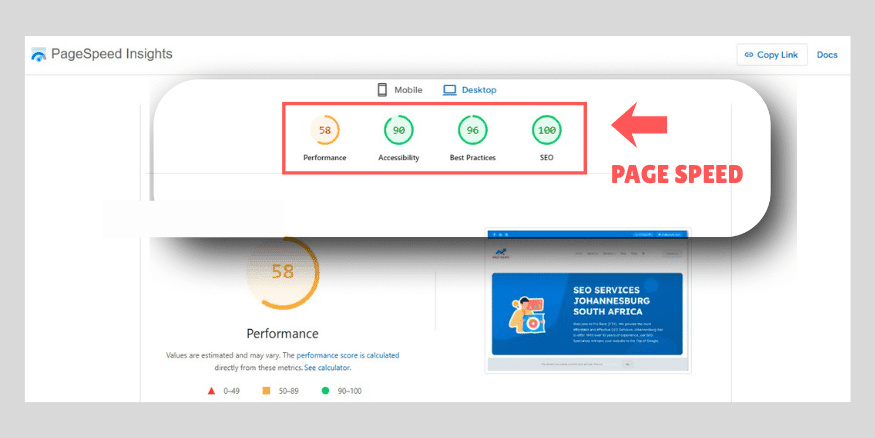
• Visit www.pagespeed.web.dev to test the download speeds of your website.
• Fast loading sites have higher rankings (SEO) on Google as it provides a better user-experience.
• Fast loading sites have higher conversion rates as your website will receive more sales and leads.

FACTORS THAT INFLUENCE PAGE SPEED

IMAGES

Large sized images will reduce the download speeds of your website.
An Image should NOT exceed 200KB.
Compress large images with Free WordPress plugins or Free online websites.

SLOW SERVERS
Websites hosted on unreliable servers can go offline and have slow loading times.
Rather use Dedicated/Cloud Hosting than Shared Hosting to speed up your site.
Use CDN’s (Content Delivery Networks) to reach servers close to your users for faster loading times.

EXCESSIVE CODE
Websites with excessive code of HTML, CSS and Javascript reduce your download speeds.
Remove any unnecessary (or unused) code as browsers have to process all code before loading a site.
Remove any unnecessary WordPress plugins too.

TOO MANY REDIRECTS
Redirects is the process of redirecting users from one webpage to another webpage.
Too many redirects adds more loading time to your website which slows your site down.
Remove broken redirects and limit the number of redirects you have on your site.

FREQUENTLY ASKED QUESTIONS

Why is page speed important?
Fast-loading pages improve user experience, reduce bounce rates, and help your SEO rankings.
What is a good page speed score?
Your pages should load in under 3 seconds and have a high performance score (80–100 on PageSpeed Insights).
Does hosting affect page speed?
Yes! You should always use dedicated hosting and not shared hosting. Fast, reliable hosting improves load times, while slow servers hurt speed.
Do scripts and plugins affect page speed?
Yes! Too many scripts, heavy plugins, or unoptimized code (CSS, Javascript, HTML) can slow your site.
Can page speed affect conversions?
Yes. Faster pages lead to better user experience and higher engagement, clicks, and sales.
Do images affect page speed?
Yes! Large, uncompressed images slow down pages. Compress images without losing quality using image compression tools or plugins.
How do I improve page speed?
You should compress images, enable caching, minify CSS/JS, use a CDN, reduce plugins, and choose fast hosting.